
ABCya! Games
ABCya.com LLCEducational
4.23.59K Reviews
- Version
- 2.33.0
- Installs
- 1.00M
- Age Rating
- Everyone
Screenshots
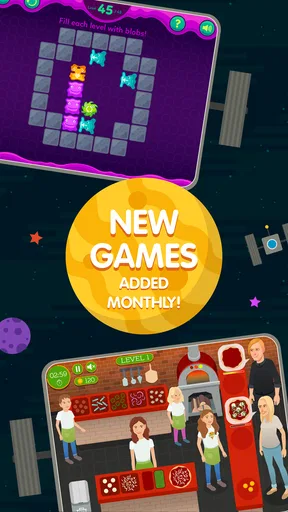
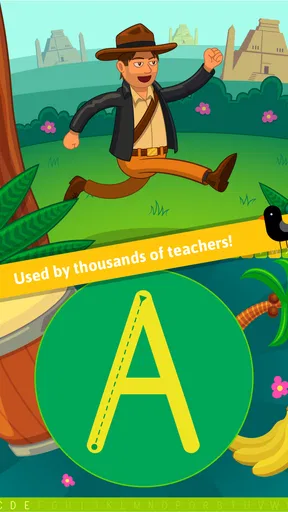
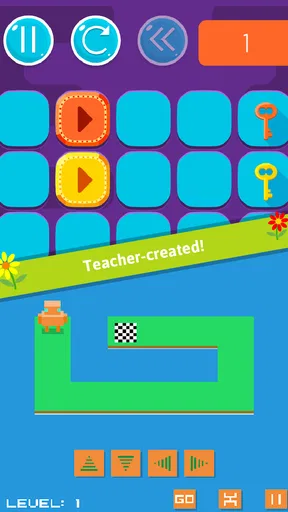
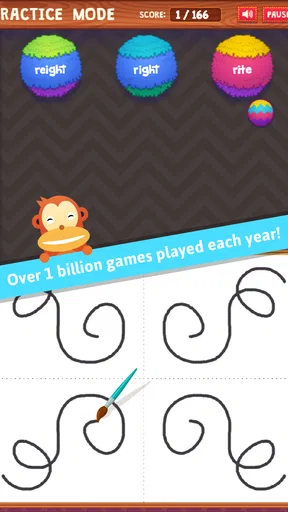
Our Review of ABCya! Games
 Analysis by Appyee
The most revealing way to judge a children’s learning game is to watch what happens after a child taps a game: do they understand what to do, notice what happened, and want to try again? That loop is where ABCya! Games makes its case. I see it as a collection of short educational activities rather than one long game, which makes it easier to fit into a spare moment at home or a classroom routine.
Choosing a first activity without turning it into homework
When a child opens a broad collection of games, the first choice can be the hardest part. ABCya organizes activities by grade level, so I’d use that as a starting point instead of handing over the device and hoping a suitable game appears. The grade labels help narrow the field, but they are a guide rather than a perfect measure of a child’s ability: a confident reader may enjoy something above their usual level, while a tired child may prefer a simpler activity.
My practical suggestion is to offer two choices that match the moment. Before school, a quick number or word activity may be easier to start than a game that asks for sustained attention. On a quiet afternoon, a child can browse more widely and follow their curiosity. That small choice gives them ownership without making the session feel like a lesson assigned by an adult.
ABCya! Games is a free educational game from ABCya.com LLC, and it is rated for everyone. Its current version is 2.33.0, and it runs on devices with Android 7.0 or later. The game has a 4.2 average from around 12,000 ratings, with more than a million installs. Those figures suggest that it has reached many families, though popularity alone cannot tell me whether a particular activity suits a particular learner.
What makes a child stay with a game
The appeal is not simply that the screen is colorful. The stronger reason to keep playing is the combination of a clear task and an immediate chance to respond. In a spelling challenge, for example, the child is doing more than watching an explanation: they have to make a choice and see how it works out. A logic puzzle asks for a different kind of attention. Moving between these styles can help a child who loses interest when every activity feels like the same worksheet in disguise.
That variety is useful, but it also changes how I’d use the app. I wouldn’t treat a single session as a complete lesson in math or language arts. Instead, I’d let the child play, then ask what they had to figure out or which part felt tricky. A short conversation can reveal whether the game is reinforcing something they understand or merely keeping them occupied. The app can prompt practice, but a parent or teacher still has a role in connecting that play to learning outside the screen.
Feedback, rewards, and the reason to try again
Educational play works best when a child can tell what their action accomplished. ABCya’s activities are built around challenges such as spelling, counting, and solving puzzles, so the child gets a concrete problem to work through rather than a passive stream of content. That makes the basic loop easy to understand: choose an activity, attempt its task, see how the attempt goes, and decide whether to continue or switch.
I would be careful not to assume every child will respond to that loop in the same way. Some will enjoy getting another chance at a difficult puzzle; others may become frustrated if they do not understand the instructions or if the challenge feels too easy. Sitting nearby for the first few minutes is a useful way to tell the difference. If the child is stuck, help them understand the task rather than solving it for them. If they are breezing through, let them choose a more demanding activity instead of turning play into a test.
The reward here is best understood as the satisfaction of completing a challenge and wanting to explore another one, not as a reason to chase a score at all costs. That distinction matters for parents who want screen time to support curiosity rather than make a child feel judged. I’d praise the strategy—such as noticing a pattern or trying a new approach—more than simply praising speed or getting everything right.
Making a session fit real family and classroom routines
A realistic use case is a child who has finished a small task before dinner while an adult is nearby preparing food. I’d choose one activity together, make sure the child understands the instructions, and agree that the session ends when that activity is done. This gives the game a clear place in the routine without letting a quick break drift into an open-ended stretch of screen time. In a classroom, a teacher could use a similar approach as a short rotation, while still checking that the chosen activity connects with what the class is working on.
There is also a useful trade-off between letting a child browse independently and choosing for them. Independent browsing encourages curiosity, but a large collection can lead to repeated switching before the child has really engaged with anything. An adult-selected starting point can reduce that friction, though too much direction can make play feel like another assignment. I’d start with a choice between a couple of suitable options, then give the child room to continue or move on.
Compared with a single-purpose math or reading app, ABCya offers a broader mix of educational activities, which is handy when a child wants variety or several learners share a device. A focused practice app may be a better fit when an adult wants sustained work on one skill or a more structured progression. Likewise, a video-based learning app can explain a topic before practice, while ABCya’s game format is more naturally suited to trying things out. I’d choose based on the need: variety and short play sessions here, a narrowly targeted lesson elsewhere.
Practical limits and a sensible way to evaluate it
Before relying on the app for a particular routine, I’d check how much of the available content a child can actually access and whether any purchase prompt appears in the version being used. The game is free to download, but it includes in-app purchases ranging from $4.99 to $299.99 per item. That makes it worth reviewing purchase settings with an adult before handing the device to a child, especially if the device is shared. I would not treat “free” as meaning every activity is necessarily available without payment.
Connectivity is another point to consider. If a family expects to use educational games while traveling or somewhere with unreliable internet, it is sensible to test the app beforehand rather than count on it as an offline activity. A book, downloaded material, or a game known to work without a connection may be a safer backup. For a child who needs extensive accessibility support, a highly specialized learning tool may also be a better first choice than a broad collection; I’d try a few activities together and judge the actual fit rather than assume that a child-friendly design meets every need.
The app is available at no upfront cost, which makes trying it a fairly easy decision, but I’d evaluate it by watching how the child behaves across several short sessions. Do they understand the tasks? Can they recover when an answer is wrong? Do they ask to explore another activity for a reason, or do they simply tap around? Those observations are more useful than whether a child spends a long time in the app. If the games lead to an explanation, a question, or a new attempt, the session is doing something worthwhile.
It’s not every day you stumble upon an app that’s as fun for kids as it is educational, but ABCya! Games manages to strike that perfect balance. If you’re a parent or teacher on the lookout for a way to keep the little ones engaged while sneaking in some learning, this app might just be your holy grail. Let’s dive into what makes ABCya! Games a standout choice.
Explore a World of Learning
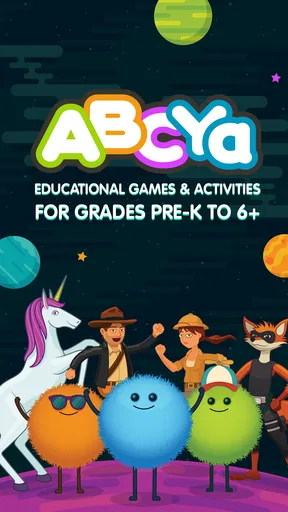
The first thing that hits you when you open the app is the sheer variety of games available. From math to language arts, ABCya! covers a wide spectrum of subjects. This isn’t just a one-trick pony; it’s an entire carnival of educational fun. Whether your child is into numbers, letters, or creative tasks, there’s something in here for them.
One of the aspects I particularly appreciate is how the games are categorized by grade level. This way, you’re not left guessing whether a particular game is too advanced or too simplistic for your child. It’s a seamless experience that allows you to tailor learning according to age and skill level.
Engaging and Intuitive Gameplay
Let’s be honest, no one wants to play a boring game, and kids are the hardest critics. Thankfully, ABCya! Games delivers on the engagement front. The graphics are bright and colorful, capturing the attention of even the most distracted kids. The interface is intuitive, which means your child can navigate the app without needing constant help. It’s like the app was designed with both kids and parents in mind.
Each game is designed to be fun, yet challenging enough to keep the brain gears turning. Whether it's a spelling challenge or a logic puzzle, there's always an element that encourages kids to think critically and problem-solve.
Learning Through Play
What sets ABCya! Games apart is its ability to teach without making it feel like a chore. The app cleverly disguises learning as play, making it much easier for kids to absorb information. It’s not about drilling facts into their heads; it’s about fostering a genuine curiosity and love for learning.
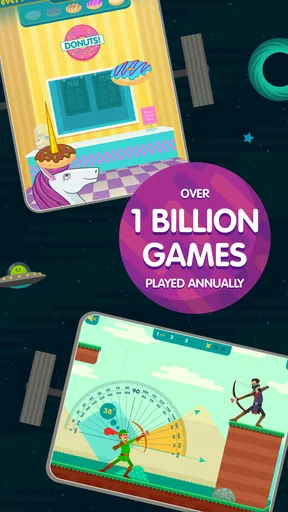
For instance, the math games incorporate fun scenarios that make counting and addition feel like a game rather than homework. Seeing the joy on a child’s face when they solve a puzzle is priceless, and it’s these moments that the app is full of.
Safe and Kid-Friendly Environment
As a parent, one of my top priorities is ensuring a safe online experience for my kids. ABCya! Games ticks this box effortlessly. The app is free of any in-app purchases and third-party advertisements, which means no surprise charges or inappropriate ads popping up. It’s a closed ecosystem that’s designed with children’s safety in mind.
Additionally, the app has a straightforward setting menu that allows you to manage the app’s features with ease. It’s comforting to know that while your kids are having fun, they’re also in a secure environment.
A Few Things to Consider
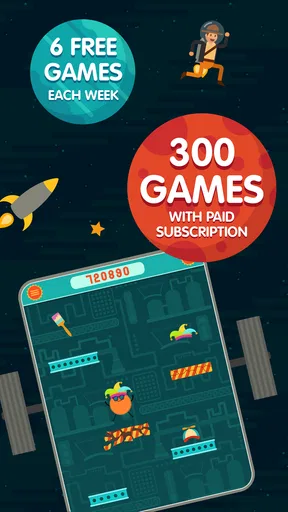
While ABCya! Games is a fantastic tool for learning, it does require a stable internet connection, which might be a limitation for some. Also, the free version of the app offers limited access to games, so you might consider the premium subscription for a more comprehensive experience.
However, considering the quality and range of content available, it’s a small trade-off for what you’re getting. The app’s premium model supports the continuous development of new and exciting content, ensuring that the learning never stops.
Final Thoughts
All in all, ABCya! Games is a treasure trove of educational goodness wrapped in a fun, engaging package. It’s more than just an app; it’s an investment in your child’s growth and development. Whether you’re a parent looking for a learning tool or a teacher needing resources, this app is worth checking out.
If you’re ready to make learning an enjoyable adventure for your kids, give ABCya! Games a try. It might just become a favorite in your household or classroom.
Verdict
Strengths of ABCya! Games
- Wide variety of educational games.
- User-friendly interface for kids.
- Encourages learning through play.
- Regularly updated with new content.
- No ads in premium version.
Limitations of ABCya! Games
- Some content requires subscription.
- Limited free game selection.
- Graphics can be basic.
- Older kids may find it too simple.
- Requires internet for most games.
Similar Picks in This Category
View All
Little Panda Policeman
BabyBus4.0

Monster Trucks Game for Kids 2
Raz Games4.1

Little Panda's Chinese Recipes
BabyBus4.4

Little Panda's Restaurant
BabyBus4.4

Little Panda's Ice Cream Games
BabyBus4.3

Baby Panda Care
BabyBus3.8
Frequently Asked Questions
What age group is ABCya! Games suitable for?
ABCya! Games is designed primarily for children in kindergarten through fifth grade, making it suitable for ages 5 to 12. The platform offers a variety of educational games tailored to different age groups and learning levels, ensuring that content is age-appropriate and engaging for young learners.
Is ABCya! Games free to use?
ABCya! Games offers a mix of free and premium content. While many games can be accessed without charge, a subscription is available that provides an ad-free experience and access to additional features and games. This makes it flexible for both casual users and those seeking more comprehensive educational content.
What educational subjects does ABCya! Games cover?
ABCya! Games covers a wide range of educational subjects, including math, reading, science, and language arts. The platform aims to reinforce classroom learning through interactive and fun games, allowing children to practice various skills in a playful environment.
How can parents monitor their child's progress on ABCya! Games?
ABCya! Games provides features that allow parents to track their child's progress. By creating a parent account, they can monitor game usage and see which skills their child is practicing. This helps parents stay informed about their child’s learning journey and areas where they might need additional support.
Is ABCya! Games available on both Android and iOS devices?
Yes, ABCya! Games is available for download on both Android and iOS devices. The app is optimized for tablets and smartphones, providing a seamless experience across different platforms. This accessibility ensures that children can enjoy learning on the go, regardless of their device.
Play our best games!


